





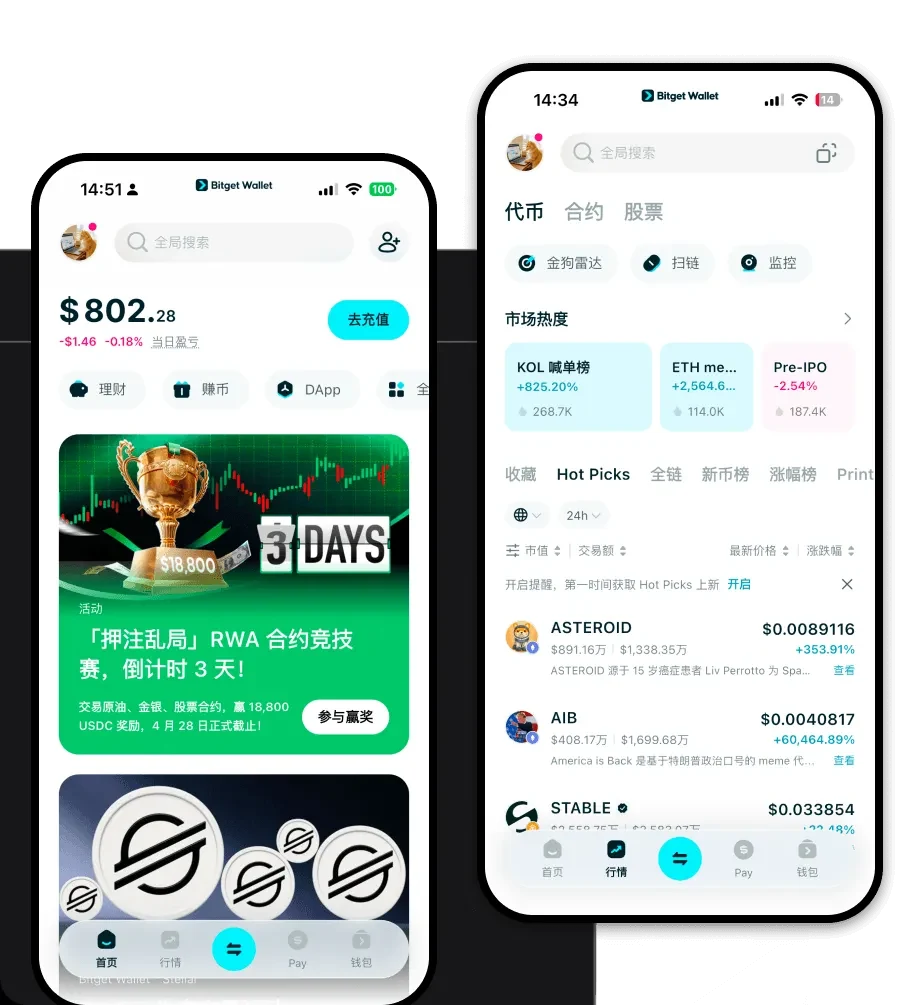
What is a WMI Wallet?
A WMI wallet is essentially a digital interface that allows you to interact with the blockchain network where your WMI tokens reside. Since WMI operates on the EVM (Ethereum Virtual Machine) ecosystem, your wallet acts as your personal gateway to the decentralized web. It is not just a place to store tokens; it is a tool for signing transactions, interacting with smart contracts, and managing your digital identity on-chain.
WMI is a digital asset that can be securely stored and managed via Bitget Wallet. As part of the expanding Web3 ecosystem, WMI utilizes secure wallet infrastructure to facilitate user participation in decentralized finance and digital asset management.
Download Bitget WMI Wallet
Getting started with the best wallet for WMI is a straightforward process. Bitget Wallet provides a unified experience across mobile and desktop, ensuring that your assets are always within reach. Whether you are using an iOS device, an Android smartphone, or a browser extension on your computer, the experience remains consistent and intuitive.
By choosing to download Bitget Wallet, you are opting for a self-custodial solution where you retain full control over your private keys. This means you are the sole guardian of your assets, free from the risks associated with centralized exchange custody. The application supports multi-chain interoperability, allowing you to manage WMI alongside other assets without switching between different interfaces.
Why Choose Bitget WMI Wallet?
When dealing with EVM-based tokens like WMI, the choice of wallet significantly impacts your DeFi experience. Bitget Wallet stands out for several technical and user-centric reasons:
- EVM Compatibility: As a fully EVM-compatible wallet, it seamlessly connects to the vast ecosystem of decentralized exchanges and lending protocols, ensuring you never miss a DeFi opportunity.
- High Liquidity Access: The wallet aggregates liquidity from hundreds of decentralized exchanges, allowing you to swap WMI with minimal slippage and optimal price execution.
- Advanced Security Infrastructure: With a robust $300 million user protection fund, Bitget provides a safety net that goes beyond standard wallet security, giving you peace of mind while exploring the ecosystem.
- Cross-Platform Accessibility: Whether you are on the go with your mobile device or analyzing charts on your desktop, your WMI portfolio syncs perfectly, providing a cohesive experience.
- Decentralized Asset Management: The interface provides a clear, real-time view of your holdings, allowing for precise tracking of your DeFi positions and token performance.
How to Create a WMI Wallet
Setting up your account is designed to be user-friendly, even for those new to blockchain technology. Follow these steps to get started:
- Download and Install: Visit the official website to download Bitget Wallet for your preferred platform.
- Create a New Wallet: Open the app and select 'Create a Wallet.' You will be prompted to set a strong password.
- Secure Your Seed Phrase: The app will generate a 12 or 24-word recovery phrase. Write this down on paper and store it offline; this is the master key to your WMI assets.
- Configure Network Settings: Since WMI is an EVM token, ensure your wallet is set to the correct network. Bitget Wallet automatically detects and manages these settings for you.
- Fund Your Wallet: Copy your wallet address from the main dashboard and send your WMI tokens to this address to begin managing them.
What Can You Do With a WMI Wallet?
Once your WMI is safely stored, the wallet unlocks a world of possibilities within the DeFi space. Here is how you can maximize your utility:
- Trading: Use the integrated swap features to trade WMI against other assets on decentralized exchanges, benefiting from the wallet’s liquidity aggregation.
- Staking: Participate in yield farming or staking programs directly through the DApp browser, allowing your idle WMI to generate potential rewards.
- Portfolio Management: Utilize the built-in analytics tools to track your gains, losses, and overall asset distribution across different protocols.
- Holding: Keep your WMI in a non-custodial environment for long-term security, ensuring that you remain the only person with access to your funds.
How WMI Wallets Are Different from Other Crypto Wallets
Not all wallets are built the same. When working with WMI, the differences lie in how the wallet handles the complexities of the EVM chain. Unlike older wallets that might struggle with high traffic, Bitget Wallet is optimized for the account-based model used by EVM chains. This means it efficiently handles gas fee estimations, preventing failed transactions during periods of network congestion.
Furthermore, while some wallets prioritize simplicity at the cost of functionality, a dedicated WMI wallet like Bitget balances usability with advanced features. It handles the nuances of smart contract interactions and token approvals automatically, which is a significant advantage over basic wallets that require manual configuration for every DeFi action. The focus here is on reducing the technical barrier for users while maintaining the robust security of a self-custodial architecture.
