1. What is a TS Wallet?

Tay Story (TS) originated from social media discussions, with the community naming and spreading it through tweets, positioning it as an experimental derivative token triggered by social media. The team has not been publicly disclosed, usually maintained by anonymous individuals or small communities; the core claim is community-driven liquidity and governance, targeting active community members and frequent traders. Because TS operates on the EVM (Ethereum Virtual Machine) blockchain, it functions as a standard ERC-20 compatible asset. A TS wallet is essentially an interface that allows you to interact with the EVM ecosystem, manage your private keys, and perform on-chain transactions with this specific meme token.

2. Download Bitget TS Wallet

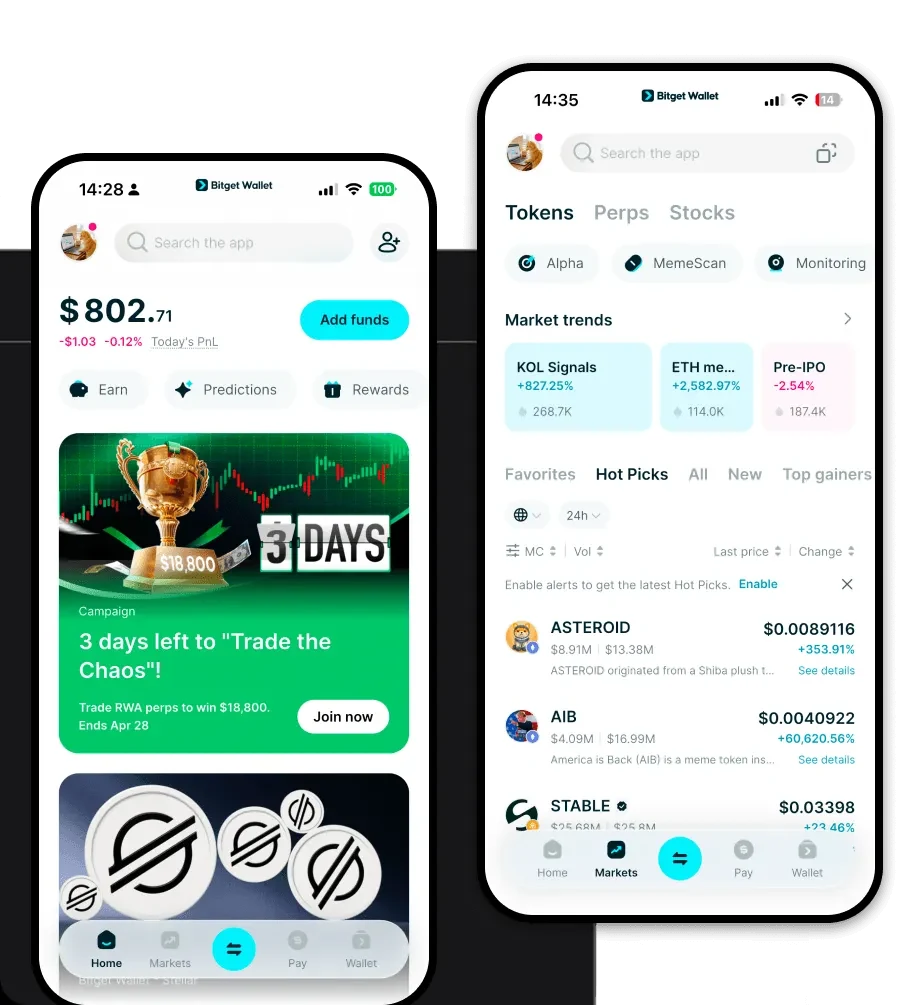
To effectively manage your holdings, you need a reliable 'ts wallet app' that combines ease of use with robust security. Bitget Wallet is designed to handle the fast-paced nature of meme tokens like TS, offering a seamless experience across iOS, Android, and browser extensions. By choosing to 'download Bitget Wallet' (https://web3.bitget.com/zh-CN/wallet-download), you gain access to a self-custodial solution that gives you full control over your private keys. Whether you are moving assets from a centralized exchange or setting up a new address, the platform supports multi-chain operations, ensuring your TS tokens are always accessible.

3. Why Choose Bitget TS Wallet?

Choosing the 'best wallet for ts' requires prioritizing speed, compatibility, and security. Here is why Bitget stands out for TS token holders: - Full EVM Ecosystem Compatibility: Bitget Wallet allows for seamless interaction with decentralized exchanges (DEXs) where TS is traded, ensuring you never miss a market movement. - Advanced Security Infrastructure: With a 300 million USD user protection fund, your assets are shielded against systemic risks, providing peace of mind for high-volatility meme token trading. - Integrated DEX Aggregator: Easily swap tokens with the best available liquidity across multiple bridges, which is essential for managing experimental tokens like TS. - Instant Market Tracking: Monitor price fluctuations and community sentiment directly within the app, helping you stay ahead of social media-driven market trends.

4. How to Create a TS Wallet

Creating your wallet is straightforward, even for beginners: 1. Download the app: Visit the official store or website to 'download Bitget Wallet'. 2. Create a new identity: Open the app and select 'Create Wallet'. You will be prompted to set a strong password. 3. Secure your recovery phrase: The app will generate a 12-word mnemonic phrase. Write this down on paper and store it offline—never share it with anyone. 4. Add the TS Token: Once your wallet is set up, use the 'Add Token' feature. Since TS is on the EVM, ensure you have the correct contract address to import the token manually if it does not appear automatically. 5. Start transacting: Your 'ts wallet address' is now ready. Copy this address to receive funds or connect your wallet to supported decentralized platforms.

5. What Can You Do With a TS Wallet?

Having a dedicated wallet for TS allows you to move beyond simple holding and engage with the ecosystem: - Speculative Trading: Utilize the built-in DEX aggregator to execute fast trades, capitalizing on the high volatility inherent in meme tokens like TS. - Community Participation: Use your wallet to connect to governance platforms or community portals where TS holders vote on experimental tokenomics or project proposals. - Social Media Engagement: Participate in community-led campaigns and airdrops by linking your wallet to social-verified platforms, a common practice for social media-triggered tokens. - Liquidity Provision: Deposit your TS into liquidity pools on compatible DEXs to earn rewards, effectively becoming a liquidity provider for the community-driven market.

6. How TS Wallets Are Different from Other Crypto Wallets

When dealing with TS, it is important to understand that you are operating within an EVM environment, which differs significantly from other blockchain architectures. Unlike Bitcoin wallets that utilize a UTXO (Unspent Transaction Output) model, your TS wallet uses an Account-based model. This means your wallet tracks a balance rather than a list of individual transaction inputs. Furthermore, because TS is on the EVM, you must manage gas fees in the native coin of the chain (such as ETH or BNB) to execute transactions. Bitget Wallet optimizes this process by providing real-time gas fee estimates, ensuring you don't overpay for your trades compared to less intuitive wallet interfaces.