



What is a tw Wallet?
The Tape Wall (TW) token represents an experimental derivative asset inspired by Maurizio Cattelan’s viral 'Comedian' banana art installation. Operating on the EVM (Ethereum Virtual Machine) blockchain, the token positions itself as a topic-driven digital asset that bridges the gap between contemporary art, media criticism, and ephemeral art culture. Unlike traditional utility tokens, TW is primarily community-curated, emphasizing digital art ownership and collaborative exhibition initiatives rather than standard utility. It aims to build an ecosystem for art enthusiasts and on-chain collectors who value high cultural virality and conceptual digital art.
As an EVM-based asset, managing your TW requires a wallet that is fully compatible with Ethereum-standard smart contracts. A 'tw wallet' is essentially a digital interface that allows you to interact with the EVM blockchain, enabling you to hold, send, and receive your tokens while maintaining full control over your private keys. Because TW is a meme-category token with a focus on community and cultural significance, the wallet you choose serves as your gateway to participating in the decentralized art ecosystem surrounding the project.
Download Bitget tw Wallet
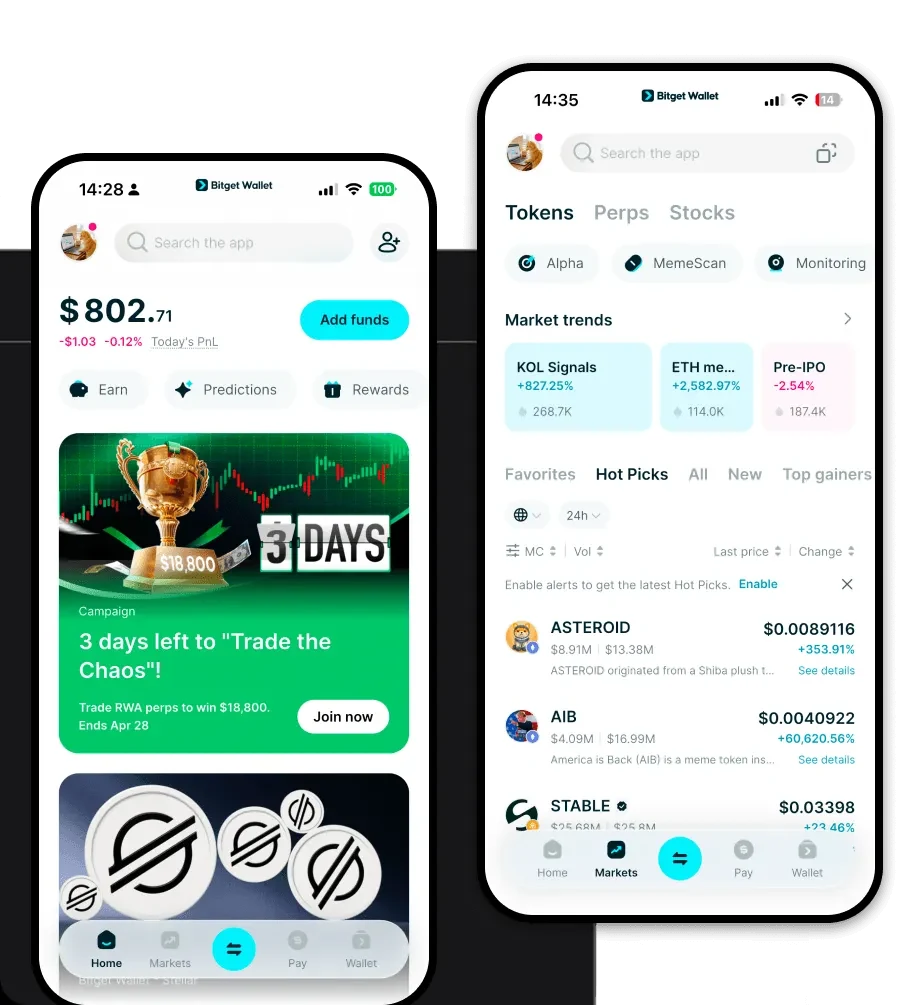
When selecting the best wallet for tw, Bitget Wallet stands out as a premier choice due to its robustness and user-centric design. It is not merely a storage solution; it is a comprehensive gateway to the Web3 world. You can download Bitget Wallet across multiple platforms, including iOS, Android, and as a browser extension, ensuring that your assets are accessible whether you are at your desktop or on the move.
Bitget Wallet provides a self-custodial experience, meaning you have complete ownership of your private keys and seed phrases, which is essential for the security of your Tape Wall holdings. Furthermore, its extensive multi-chain support makes it an ideal tool for managing assets across the EVM ecosystem and beyond. To get started, you can download Bitget Wallet directly from their official site to ensure you are using the authentic, secure version of the application.
Why Choose Bitget tw Wallet?
Choosing the right wallet for an experimental meme token like TW requires balancing security with the fast-paced nature of community-driven assets. Here is why Bitget Wallet is the preferred choice for TW holders:
- Seamless EVM Integration: Being fully compatible with the EVM ecosystem, Bitget Wallet allows you to interact with decentralized exchanges and NFT marketplaces where TW is traded without compatibility friction.
- Advanced Security Infrastructure: With a 300 million USD user protection fund, Bitget Wallet offers an extra layer of security, providing peace of mind when holding culturally viral assets that may attract significant attention.
- Optimized for Meme and Art Assets: The wallet interface is designed to handle high-frequency trading and viewing of digital art assets, making it easier to track the value and cultural relevance of your TW tokens in real-time.
- Intuitive DApp Browser: Bitget Wallet features a built-in DApp browser that allows you to connect directly to community-curated exhibition platforms and governance forums, essential for a project focused on decentralized curation.
- Smooth Multi-Chain Experience: While TW is an EVM asset, your wallet needs to be flexible. Bitget supports over 130+ public chains, ensuring that if your portfolio diversifies, you won't need to switch applications.
How to Create a tw Wallet
Setting up your wallet to manage TW tokens is a straightforward process. Follow these steps to ensure your setup is secure:
1. Download and Install: Visit the official Bitget Wallet website and download the application for your device (iOS, Android, or browser extension).
2. Initialize Your Wallet: Open the app and select 'Create a New Wallet'. You will be prompted to set a strong password to protect the local app interface.
3. Secure Your Seed Phrase: The app will generate a 12 or 24-word recovery phrase. Write this down on paper and store it in a secure, offline location. This is the only way to recover your funds if you lose your device.
4. Access the EVM Network: By default, Bitget Wallet is ready for EVM networks. Ensure your wallet is set to the correct network (typically Ethereum or a related L2) where your TW tokens reside.
5. Add the TW Token: Use the 'Add Token' feature and paste the contract address of the TW token. The wallet will automatically fetch the details, and your TW balance will appear on your dashboard.
What Can You Do With a tw Wallet?
Holding TW in a specialized wallet opens up a variety of specific use cases that align with its role as a digital art-focused meme token:
- Trading on Decentralized Exchanges: You can use your wallet to connect to platforms like Uniswap to buy or sell TW tokens, utilizing the wallet's smooth transaction signing process to execute trades during periods of high market volatility.
- Community Participation: Your wallet acts as your digital identity, allowing you to sign into governance portals or community forums to vote on initiatives related to the TW ecosystem and its future direction.
- Collecting Digital Art Assets: Beyond just holding the token, you can use your wallet to store and view associated digital art pieces, facilitating a personal gallery experience that reflects your interest in the project.
- Social Media Speculation: By keeping your TW in a mobile-accessible wallet, you can quickly monitor market trends and participate in social media discussions, ensuring you stay informed about the cultural virality of the project.
- Cultural Expression: You can utilize your wallet to participate in collaborative exhibition initiatives, where your ownership of TW tokens grants you status or access to exclusive digital art galleries and community events.
How tw Wallets Are Different from Other Crypto Wallets
Managing a token like TW requires an understanding of how EVM-based wallets differ from other architectures. Unlike Bitcoin wallets that utilize a UTXO (Unspent Transaction Output) model, EVM wallets use an 'account-based model'. This means your wallet functions more like a bank account with a balance, which is significantly more efficient for the complex smart contract interactions required by meme tokens and decentralized art platforms.
Furthermore, because TW operates on the EVM, your wallet must manage 'Gas' fees. Bitget Wallet simplifies this by providing real-time gas fee estimations, which is crucial when trading volatile meme tokens where transaction speed is of the essence. While a BTC wallet focuses on simple store-of-value transfers, a TW-compatible EVM wallet like Bitget is optimized for 'interaction'—enabling you to approve contracts, swap tokens, and participate in community curation in real-time, making it far more dynamic than a traditional cold storage wallet.
