



What is a QUASAR Wallet?
A QUASAR wallet is a digital interface designed to interact with the Quasar Black Hole ecosystem. Quasar Black Hole (QUASAR) is an experimental project on an independent chain, issuing 5,000 evolvable NFT nodes as carriers for liquidity and revenue distribution. The contract is designed to be deflationary: 1% of each swap is burned, and 4% pool fees are continuously distributed weighted by node loyalty. Node activity is displayed on-chain based on unclaimed fees; the official team has not disclosed their real identities and claims to have relinquished contract ownership. It is intended for long-term holders, NFT collectors, and liquidity revenue participants.
Download Bitget QUASAR Wallet
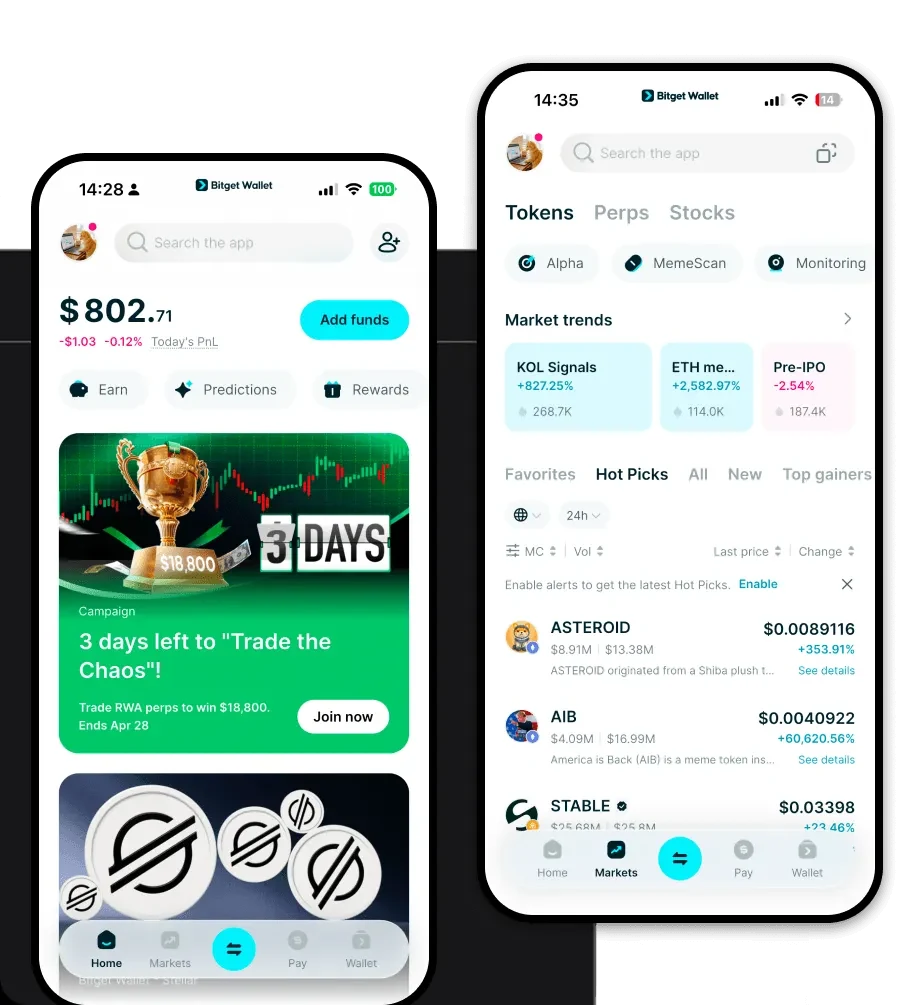
To safely manage your QUASAR tokens and NFT nodes, you need a robust, self-custodial solution. We recommend you download Bitget Wallet to gain full control over your digital assets. Bitget Wallet provides a seamless experience for managing assets across 130+ blockchains, ensuring that your QUASAR holdings are always accessible. Whether you are using a smartphone or a desktop browser, the platform offers dedicated apps for iOS, Android, and browser extensions. By choosing a self-custodial wallet like Bitget, you ensure that you—and only you—hold the private keys to your QUASAR assets, providing a critical layer of security for this experimental DeFi project.
Why Choose Bitget QUASAR Wallet?
- Comprehensive Multi-Chain Compatibility: Unlike single-chain wallets, Bitget aggregates liquidity across hundreds of DEXs, allowing you to manage QUASAR alongside other assets in one unified interface.
- Advanced NFT Management: With QUASAR relying on 5,000 evolvable NFT nodes, Bitget's native NFT management tools allow you to view, track, and manage your node assets without needing external platforms.
- Enhanced Security Infrastructure: Bitget Wallet is backed by a $300 million user protection fund, providing an essential safety net for users interacting with experimental DeFi projects like Quasar Black Hole.
- User-Centric DeFi Experience: The wallet is designed to simplify complex on-chain interactions, making it easier to track deflationary tokenomics and pool fee distributions directly within the app.
How to Create a QUASAR Wallet
- Download and Install: Visit the official website to download Bitget Wallet and install the app or browser extension.
- Initialize Your Wallet: Open the application, select 'Create a New Wallet', and ensure you securely back up your 12-word mnemonic recovery phrase.
- Set Up Security: Configure your biometric authentication or a strong PIN code to add an extra layer of protection to your local device.
- Navigate to Asset Management: Once your wallet is active, locate the asset management tab and import or add the custom token address for QUASAR if it is not automatically detected.
- Connect to the Ecosystem: Use the built-in DApp browser to navigate to the Quasar Black Hole interface, connecting your wallet to start interacting with the nodes and liquidity pools.
What Can You Do With a QUASAR Wallet?
Owning a QUASAR wallet opens the door to the full suite of features within the Quasar Black Hole ecosystem:
- Holding NFT Nodes: You can secure your 5,000 evolvable NFT nodes directly in your wallet, ensuring you maintain ownership of the underlying liquidity carriers.
- Yield Farming: Utilize your wallet to stake or lock assets into the protocol's liquidity pools, participating in the 4% pool fee distribution mechanism.
- Liquidity Provision: Actively provide liquidity to the protocol, which is essential for the ecosystem's functionality and your potential revenue generation.
- Claiming Node Rewards: Use your wallet interface to interact with the smart contract and claim your accumulated fees, which are calculated based on your node loyalty.
- Speculative Trading: Leverage your wallet to execute trades, taking advantage of the deflationary tokenomics where 1% of each swap is burned, impacting the token's circulating supply.
How QUASAR Wallets Are Different from Other Crypto Wallets
Managing a project like QUASAR requires a wallet that understands specialized DeFi mechanics. Unlike standard wallets that only track simple balances, a wallet optimized for QUASAR must handle complex on-chain logic such as NFT node metadata and automated fee distributions. Because QUASAR operates on an independent chain with specific tokenomic rules, you need a wallet that supports custom RPC configurations and high-performance indexing to track unclaimed fees in real-time. While many wallets focus on simple transfers, Bitget Wallet excels by providing a clear view of your on-chain loyalty status and node activity, distinguishing it from basic wallets that might fail to display the specific attributes of your evolvable NFT nodes.
