




What is an AVAN Wallet?
An AVAN wallet is a digital gateway designed to interact with the AVAN ecosystem, an innovative project built on the EVM (Ethereum Virtual Machine) blockchain. AVAN functions as a derivative token and mini-game ecosystem centered around the 'Ocean Shark' IP. Developed by an anonymous team, the project integrates lightweight mini-games—such as fishing and word puzzles—with on-chain point redemption systems. The ecosystem aims to sustain its community economy through NFT-game integration, derivative NFT collections, and community-driven activities. Because it operates within the EVM framework, your AVAN wallet acts as a decentralized hub, allowing you to hold, transfer, and interact with the smart contracts that power these unique GameFi experiences.
Download Bitget AVAN Wallet
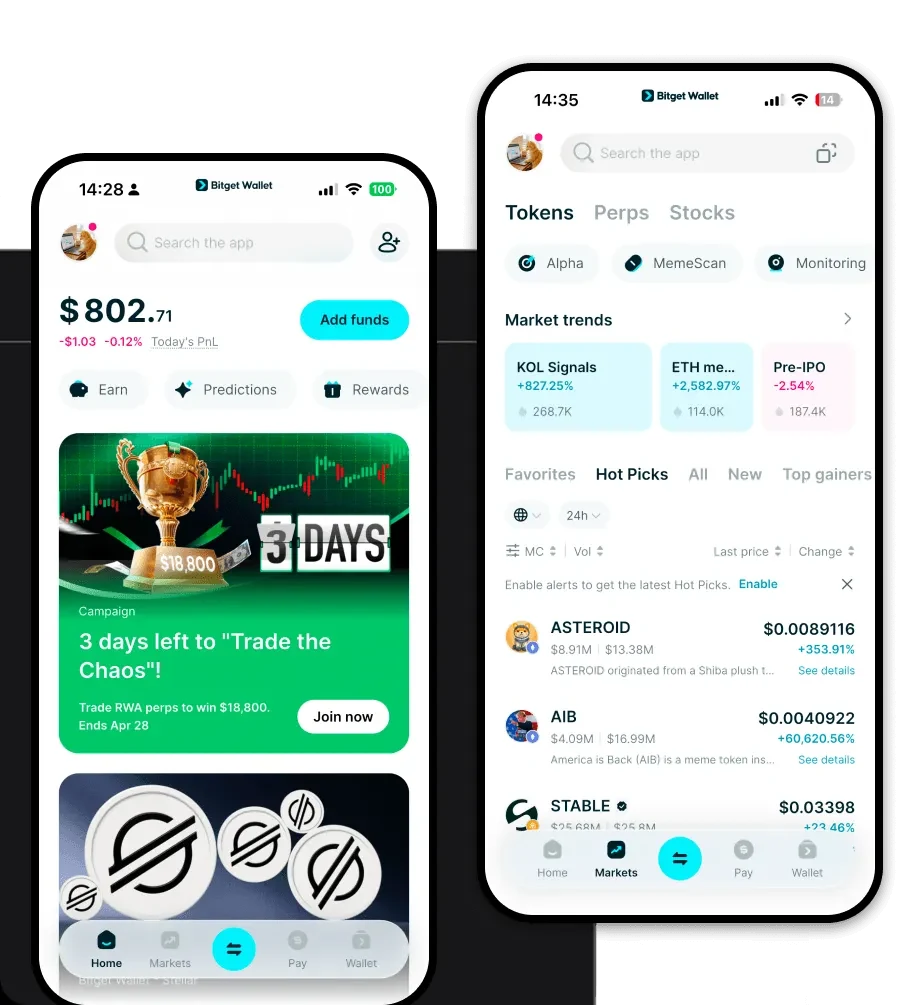
To fully immerse yourself in the AVAN ecosystem, you need a reliable tool that keeps your assets secure while offering seamless interaction with DApps. Bitget Wallet is the premier choice for crypto enthusiasts looking for a non-custodial solution. As a fully decentralized wallet, it ensures you retain complete control over your private keys, meaning you are the sole custodian of your funds. Bitget Wallet provides comprehensive multi-chain support, allowing you to manage AVAN alongside thousands of other tokens across 130+ blockchains. Whether you prefer managing your assets on the go via iOS or Android, or you need the precision of a browser extension for desktop interaction, Bitget Wallet is optimized for all platforms. Start your journey by visiting the official download Bitget Wallet page to install the application and secure your assets today.
Why Choose Bitget AVAN Wallet?
Choosing the right wallet for an EVM-based project like AVAN is crucial for performance and security. Here is why Bitget Wallet stands out:
- Seamless EVM Compatibility: Bitget Wallet is natively compatible with EVM chains, ensuring you can interact with AVAN-related smart contracts and DApps without compatibility issues.
- Optimized Gas Fee Management: With built-in gas tracking and smart fee estimation, you can execute transactions at the most efficient price, which is essential for frequent interactions with mini-games.
- NFT-First Dashboard: Given that AVAN centers on NFT collections and GameFi, Bitget Wallet provides a dedicated NFT management interface that lets you view, trade, and organize your derivative NFTs directly within the app.
- Advanced Security Infrastructure: Backed by a $300 million user protection fund, Bitget Wallet provides an extra layer of security that goes beyond standard wallet offerings, safeguarding your assets against potential vulnerabilities.
- Integrated DApp Browser: Access the AVAN ecosystem's mini-games directly through the wallet's secure DApp browser, eliminating the need to copy-paste URLs and reducing the risk of connecting to malicious sites.
How to Create an AVAN Wallet
Setting up your AVAN wallet is a straightforward process designed for both beginners and experienced users:
- Download and Install: Navigate to the official website and download the Bitget Wallet application for your preferred device (iOS, Android, or Browser Extension).
- Create a New Wallet: Open the app and select 'Create a Wallet.' You will be prompted to set a strong password to protect your local device access.
- Backup Your Seed Phrase: The app will generate a 12-word recovery phrase. Write this down on paper and store it securely—never share this with anyone, as it is the only way to recover your funds.
- Configure EVM Network: Since AVAN runs on EVM, ensure your wallet is set to the correct network. Bitget Wallet usually detects and configures these settings automatically for major chains.
- Import or Receive AVAN: Once setup is complete, copy your public wallet address to receive AVAN tokens or import existing tokens using your private key or recovery phrase.
What Can You Do With an AVAN Wallet?
An AVAN wallet is more than just a storage tool; it is your gateway to participating in the project's unique economy. With your wallet, you can engage in the following activities:
- Playing mini-games: Connect your wallet directly to the Ocean Shark-themed mini-games to earn rewards while enjoying fishing or puzzle-based challenges.
- Redeeming on-chain points: Use your wallet to interact with the project's smart contracts, allowing you to claim and redeem points earned through community participation.
- Trading derivative NFTs: Easily view and trade your Ocean Shark derivative NFTs on supported marketplaces, with your wallet acting as the secure signature tool for every trade.
- Participating in community activities: Use your wallet address to verify your identity or stake tokens in community-led governance and development events.
- Token speculation: Manage your AVAN portfolio effectively, tracking price movements and executing trades on decentralized exchanges (DEXs) through the wallet's integrated trading interface.
How AVAN Wallets Are Different from Other Crypto Wallets
Not all wallets are built the same. When dealing with an EVM-based token like AVAN, the wallet's architecture matters significantly. Unlike wallets designed for UTXO-based chains (like Bitcoin), which focus on discrete unspent outputs, an AVAN-compatible wallet like Bitget Wallet utilizes an 'account-based model.' This allows for the complex smart contract interactions required by GameFi applications. Furthermore, while some wallets struggle with the high traffic of NFT minting or game participation, Bitget Wallet is engineered to handle the throughput of EVM chains efficiently. You will notice a major difference in how gas fees are calculated; Bitget Wallet provides real-time adjustments, ensuring that your transactions for mini-game activities or NFT trades are processed quickly without overpaying for network resources.
