





What is a TWED Wallet?
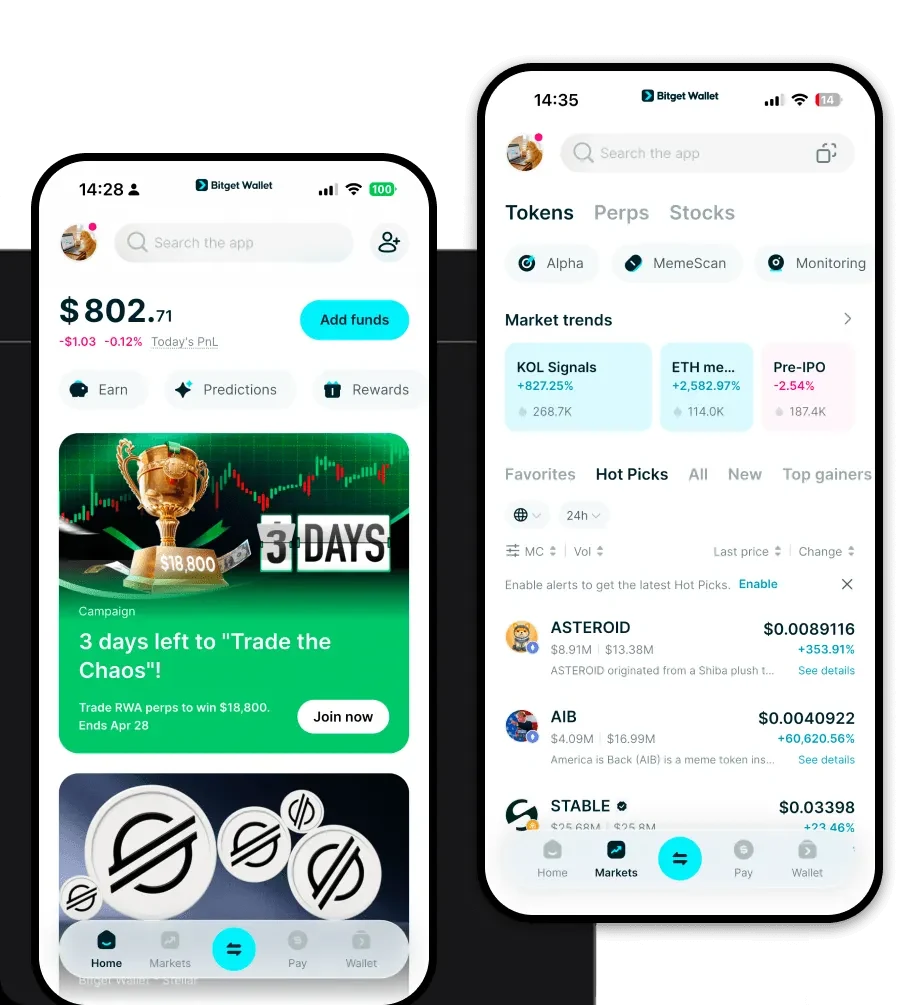
A TWED wallet is a digital interface designed specifically to interact with the TWED asset, which operates on the EVM (Ethereum Virtual Machine) blockchain. Because TWED is built on an EVM-compatible infrastructure, it requires a wallet that can seamlessly communicate with smart contracts and decentralized protocols. TWED is a cryptocurrency asset that can be securely stored and managed using Bitget Wallet. It allows users to explore Web3 applications and services within the Bitget ecosystem, leveraging a platform trusted by 40 million users. By utilizing a wallet tailored for the EVM ecosystem, users ensure full compatibility with the broader decentralized finance landscape.
Download Bitget TWED Wallet
Getting started with your TWED journey requires a robust tool that puts security and accessibility first. To begin, you should download Bitget Wallet to access a comprehensive, non-custodial solution. Bitget Wallet provides true self-custody, meaning you retain complete control over your private keys and recovery phrases at all times. Whether you prefer managing assets on the go with your mobile device or through a desktop browser extension, the platform offers a seamless, cross-platform experience. With support for over 130 blockchains, it is the ideal choice for users looking to consolidate their multi-chain portfolio into one secure, intuitive application.
Why Choose Bitget TWED Wallet?
For users navigating the DeFi space with TWED, Bitget Wallet stands out due to its deep integration with EVM-compatible chains and its focus on liquidity. Here is why it is the best wallet for TWED:
- Native EVM Compatibility: Designed with the EVM standard in mind, the wallet allows for effortless interaction with decentralized exchanges and yield farming protocols without complex configurations.
- High Liquidity Access: Users can tap into aggregated liquidity across hundreds of DEXs, ensuring that trading TWED occurs with minimal slippage and optimal price execution.
- Decentralized Ecosystem Integration: The wallet acts as a gateway to the broader Web3 economy, allowing users to connect to decentralized applications (dApps) directly within the interface.
- Advanced Security Protocols: With a $300 million user protection fund and robust encryption, your assets are shielded against common vulnerabilities while maintaining the convenience of a hot wallet.
- Cross-Platform Accessibility: Your portfolio remains synchronized across iOS, Android, and browser extensions, ensuring your TWED is always accessible wherever you are.
How to Create a TWED Wallet
Setting up your wallet is a straightforward process designed to prioritize your security. Follow these steps to get started:
- Download and Install: Visit the official Bitget Wallet website and download the application for your specific device (iOS, Android, or Chrome extension).
- Create a New Wallet: Open the app and select 'Create a Wallet.' You will be prompted to set a strong, unique password for the application.
- Backup Your Recovery Phrase: The app will generate a 12-word recovery phrase. Write this down on paper and store it in a secure, offline location; never share this with anyone.
- Verify Your Setup: Follow the on-screen prompts to verify your recovery phrase to ensure you have recorded it correctly.
- Access Your Address: Once the setup is complete, navigate to the asset list, add TWED, and click 'Receive' to generate your unique TWED wallet address.
What Can You Do With a TWED Wallet?
A TWED wallet is not just for holding; it is an active tool for participating in the decentralized economy. Here is how you can utilize your wallet:
- Trading: Use the built-in swap feature to exchange TWED for other assets instantly, leveraging the high liquidity provided by integrated DEX aggregators.
- Staking: Participate in DeFi yield farming or staking programs directly through the wallet’s dApp browser to earn passive rewards on your TWED holdings.
- Wallet Storage: Maintain a secure, self-custodial vault for your TWED, keeping your private keys offline and away from centralized exchange risks.
- Web3 Application Interaction: Connect your wallet to various decentralized platforms and services within the Bitget ecosystem, enabling seamless logging and transaction signing.
How TWED Wallets Are Different from Other Crypto Wallets
Not all wallets are built the same, and the distinction is particularly important for EVM-based assets like TWED. Unlike wallets designed for the UTXO model (like Bitcoin), which focus on individual transaction outputs and specific address types, a TWED wallet for the EVM ecosystem utilizes an account-based model. This allows for complex smart contract interactions that UTXO wallets simply cannot handle. Furthermore, while some wallets struggle with managing gas fees, Bitget Wallet optimizes for the EVM environment, providing real-time gas fee estimations to ensure your transactions are processed quickly and cost-effectively. By choosing a wallet specifically tuned for DeFi and EVM compatibility, you avoid the common bottlenecks associated with generic or multi-purpose wallet applications.
